
4 minutes to read
How we built a voice assistant that actually delivers
Sping combined OpenAI's Realtime API with WebRTC and HubSpot CRM into a voice assistant that executes complex CRM actions faster than humans could perform them manually.
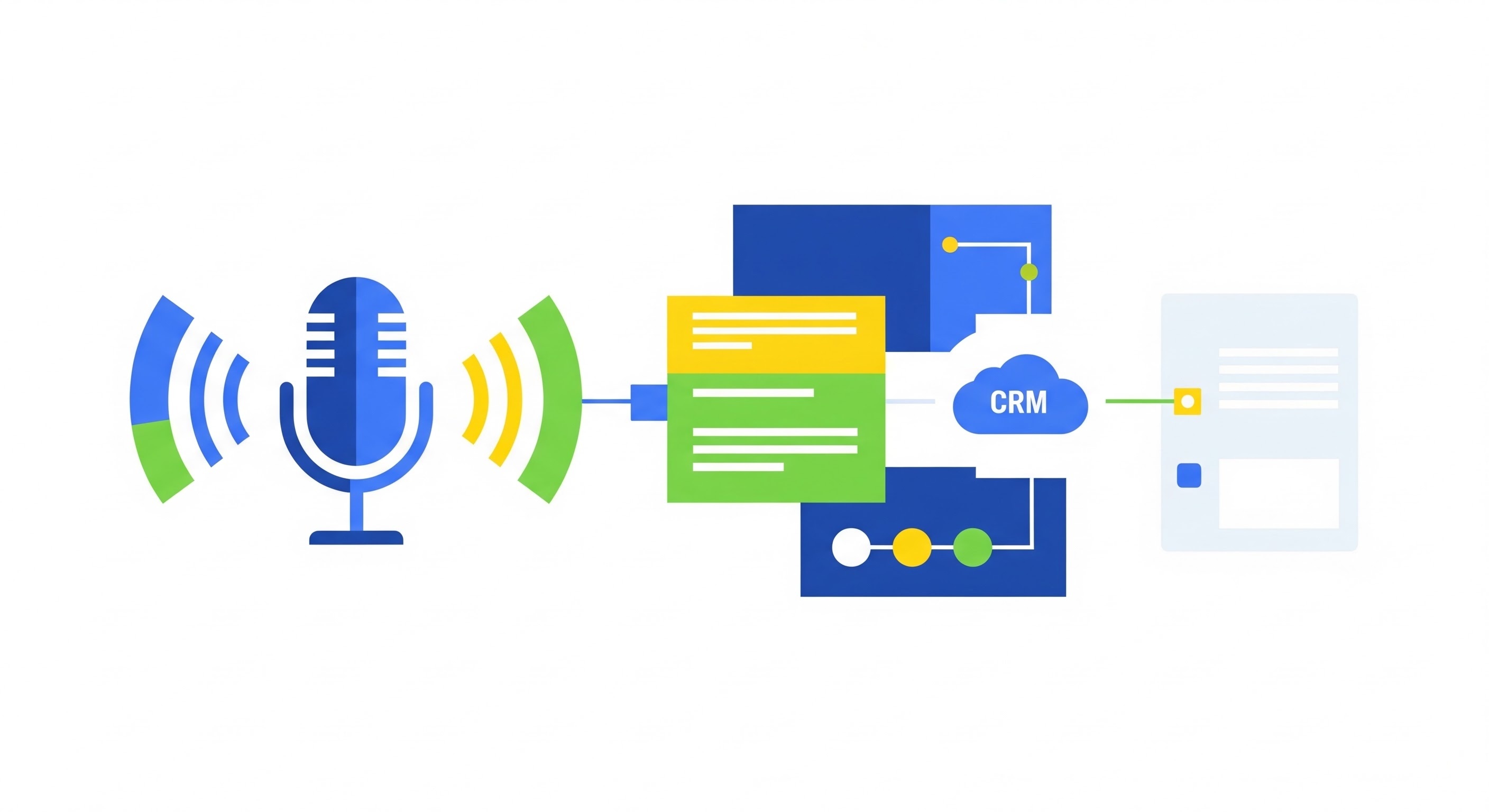
At Sping, we don’t believe in technology for technology’s sake; we believe in solving complex problems with smart architecture. The arrival of the OpenAI Realtime API opened a door: we could finally interact with software without the latency of traditional Text-to-Speech and Speech-to-Text pipelines.
But a talking AI is only half the story. The real value lies in Agency: the AI’s ability to actually perform actions within your systems.
In this article, we’re diving under the hood of AI Dialog, our tool that combines speech, WebRTC, and HubSpot CRM into a seamless assistant. It doesn’t just execute every possible CRM action in HubSpot—it does it faster than a human could.
The architecture: a triad of speed and security
To provide a stable and secure voice experience, we opted for a split stack:
- Next.js (Frontend/UI): Responsible for the WebRTC client, capturing audio, and displaying real-time transcriptions.
- NestJS (Backend): Our “security gateway.” This is where authentication, HubSpot token storage, and the proxy that validates API calls live.
- OpenAI Realtime API: The engine that processes audio, understands language, and decides which actions (tools) to execute.
Step 1: The secure handshake (WebRTC)
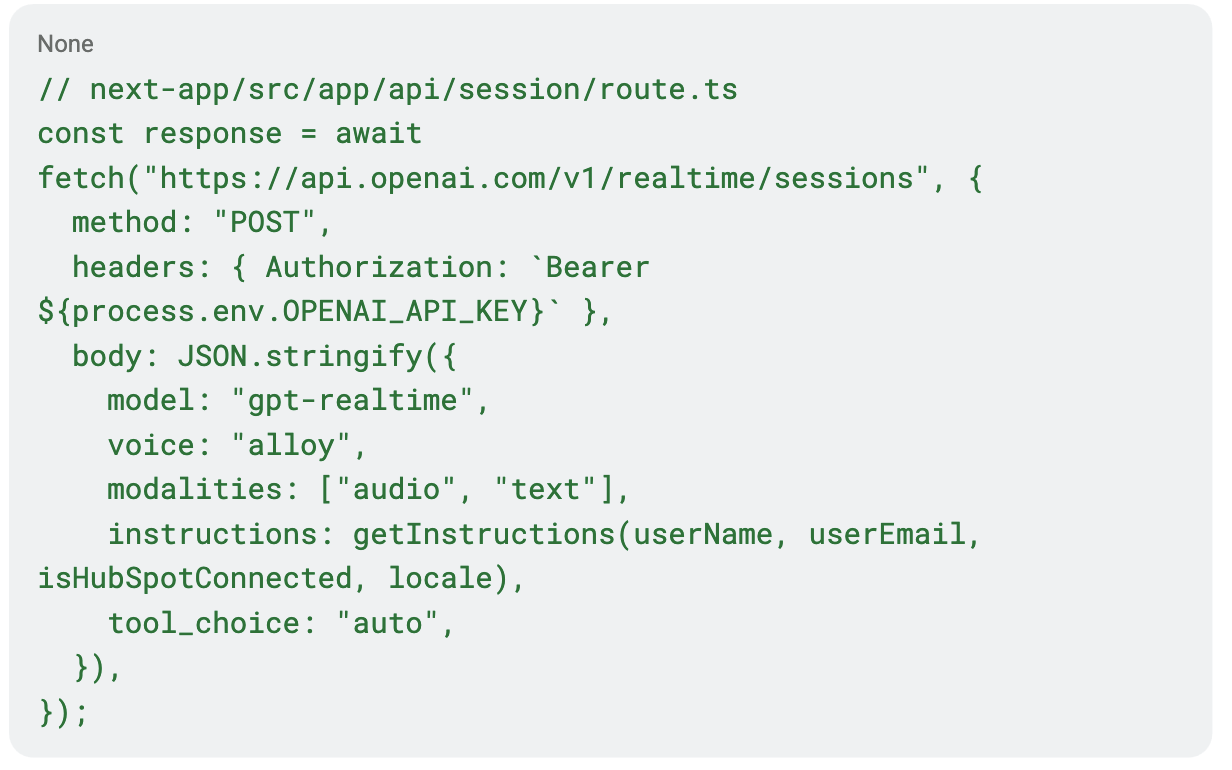
You never want traditional API keys in the frontend. That’s why we use an ephemeral token (a temporary secret). First, our Next.js route requests a session from OpenAI. Here, we immediately provide the assistant’s personalized instructions.
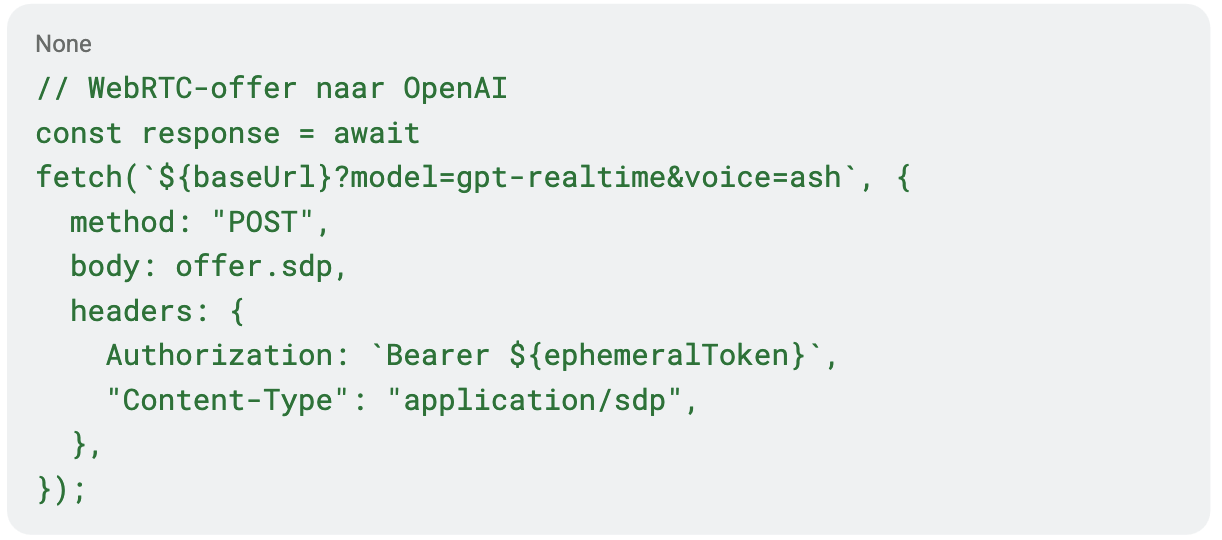
The frontend retrieves this token and initiates the WebRTC handshake via SDP (Session Description Protocol).
Step 2: Smart turn-detection and VAD
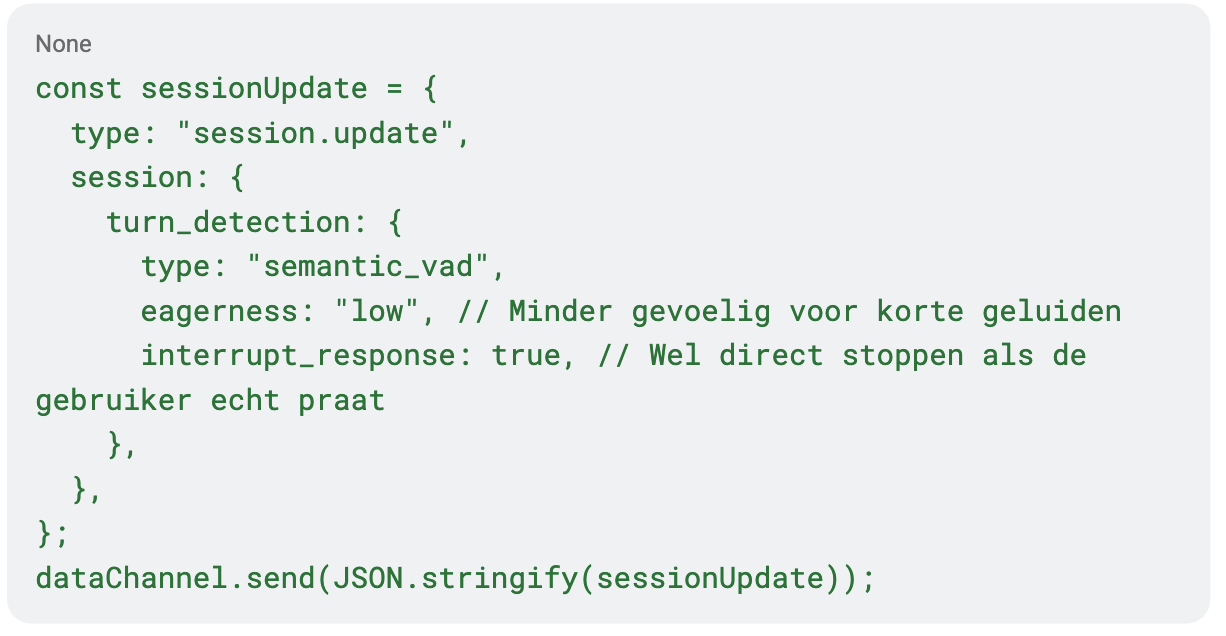
Nothing is more frustrating than an AI that interrupts you just because you took a breath. That’s why we configure the data channel with Semantic VAD (Voice Activity Detection). By setting the “eagerness” to low, we prevent the assistant from reacting to background noise or a cough.
Step 3: The “generic tool” strategy for HubSpot
This is where the project gets truly smart. Instead of programming a separate function for every HubSpot action (like createContact or updateDeal), we gave the AI one powerful tool: the hubspotApi.
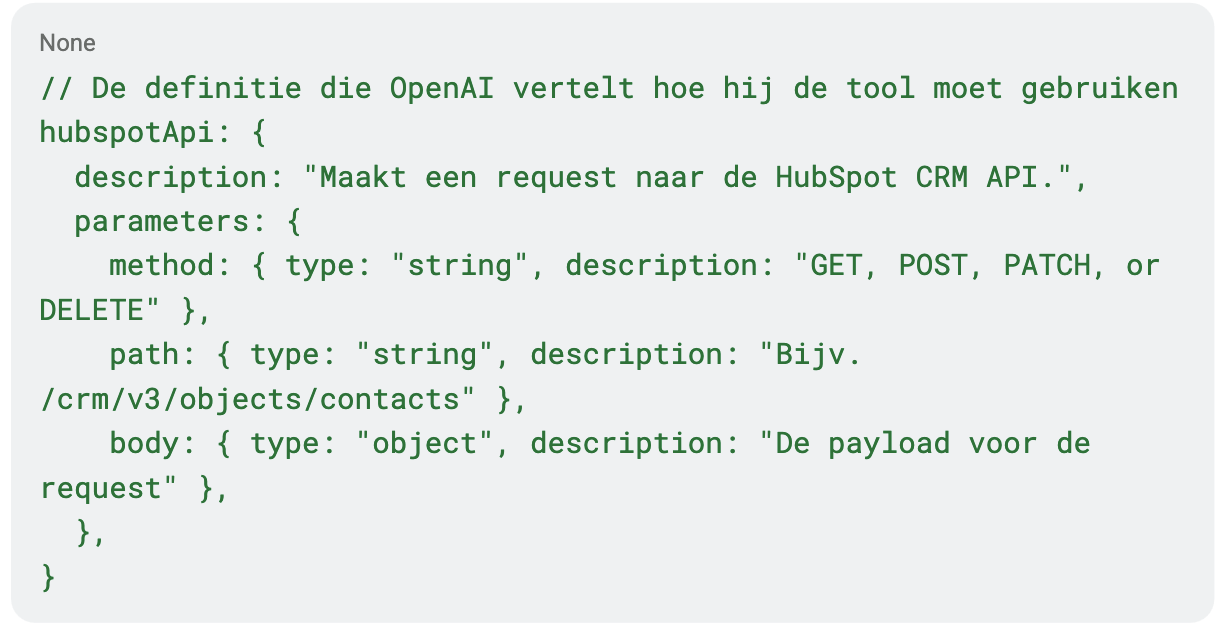
By giving the AI access to a generic method, we avoid maintaining hundreds of lines of code for every possible CRM action.
API docs in the prompt
How does the AI know which path to use? We inject the HubSpot API documentation directly into the system instructions. We explain how search operators work and how to link a ‘Note’ to a ‘Deal.’ Here, the AI acts like a developer reading and applying documentation on the fly.
Step 4: Security & proxy hardening
Freedom is good, but security is essential. The browser never talks directly to HubSpot. Every tool call goes through our NestJS backend, where we perform several crucial checks:
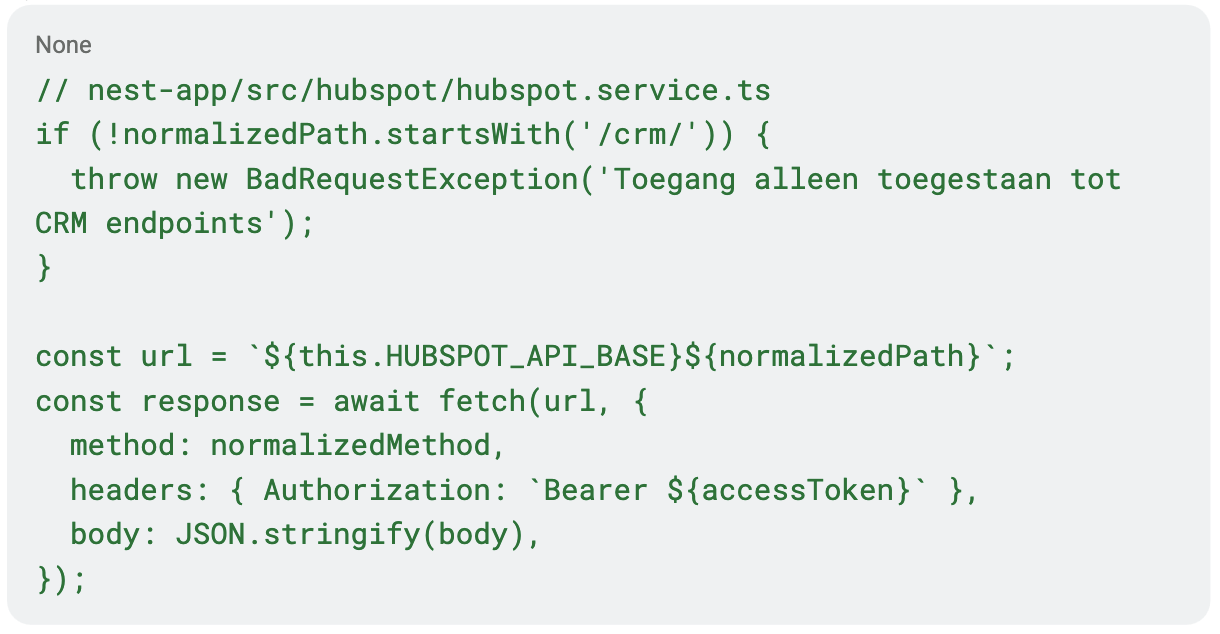
- Path traversal check: We block any path containing
..to prevent the user from “breaking out” and using the proxy for other purposes. - Scope filtering: The path must start with
/crm/. The AI can never access settings or user management. - Token management: HubSpot OAuth tokens are securely stored and refreshed server-side. The frontend only knows: “HubSpot is connected.”
The “loop”: from action to confirmation
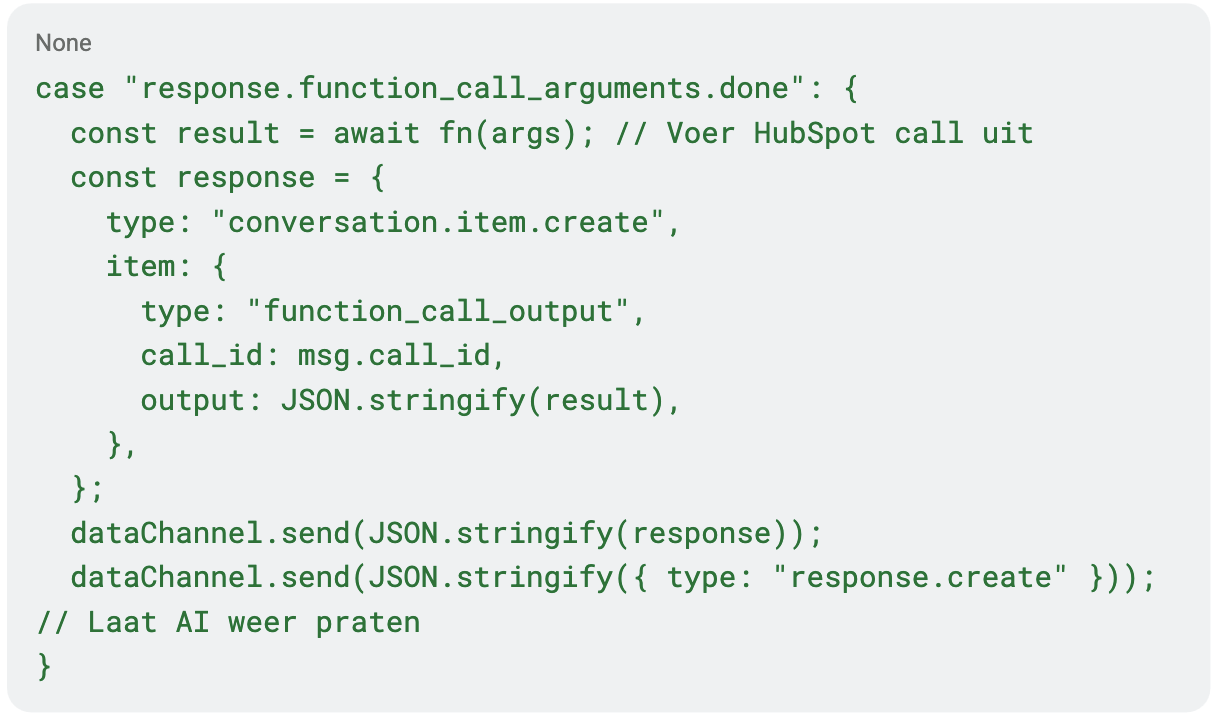
When the AI calls a tool, the audio output pauses. The frontend executes the call, sends the result back to OpenAI via the data channel, and requests a new response. This allows the AI to verbally confirm: “I’ve created the deal and added a note to the contact.”
Conclusion
By combining OpenAI’s Realtime model with a rigorous backend proxy and a generic tool setup, we’ve built an assistant that not only reacts faster than a human but also executes complex CRM tasks flawlessly.
The future of software is no longer about clicking and typing; it’s about talking to systems that understand your context and have the right tools at their disposal. At Sping, we’re ready for it.